



Center Console Storage
The center console has an armrest, upper storage tray, and a lower storage area.
The armrest can be adjusted to a rearward, middle, and forward position. Slide the top of the armrest to adjust to the desired position.
To access the storage, move the armrest to the full rearward position to access the storage compartment buttons.
Push the driver side button to access the upper storage tray.
Push the passenger side button to access the lower storage area.
There is an accessory power outlet inside the center console.
See Power Outlets for more information.
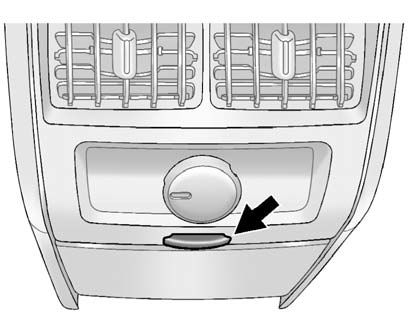
Push the button to open the storage area located at the rear of the center console.
See also:
What Makes an Airbag Inflate?
In a deployment event, the sensing system sends an electrical signal
triggering a release of gas from the inflator. Gas from the inflator fills the
airbag causing the bag to break out of the cover. ...
Canadian Vehicle Owners
Propriétaires Canadiens
A French language copy of this manual can be obtained from your dealer or
from:
On peut obtenir un exemplaire de ce guide en français auprès du
con ...
After Off-Road Driving
Remove any brush or debris that has collected on the underbody or chassis, or
under the hood. These accumulations can be a fire hazard.
After operation in mud or sand, have the brake linings cleane ...