



Install the Cargo Cover
1. Hold the cartridge so that the pull-out shade faces the rear of the vehicle.
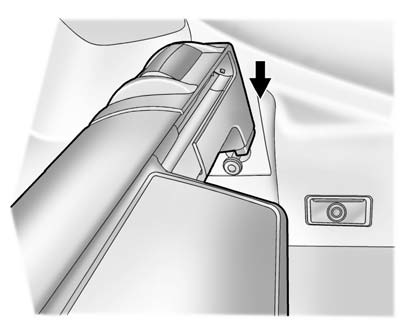
2. Align the cartridge over the pins on the trim panels of the vehicle.
3. Push down on the cartridge to snap it into place.
4. Unroll the shade toward the rear of the vehicle.
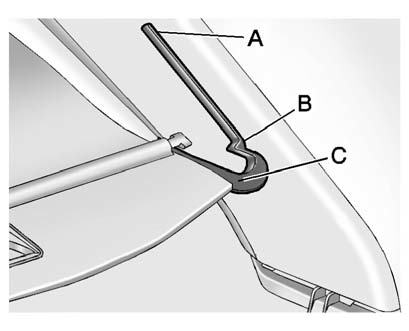
5. Insert the shade pins in the channels (C) on both sides.
6. Slide the shade to the lower (B) position, or the halfway open (A) position.
See also:
Ride & Handling
Our test CTS had the optional performance suspension, and the car felt as
firm as one of the high-performance V-Series versions that Cadillac sells, with
harsh, jarring responses over bumps. It's ...
Child Restraint Systems
(A) Rear-Facing Infant Seat
A rear-facing infant seat (A) provides restraint with the seating surface
against the back of the infant.
The harness system holds the infant in place and, in a ...
Vehicle Positioning
At times, the position of the vehicle on the map may be inaccurate due to one
or more of the following reasons:
Road system has changed.
Vehicle is driving on slippery road surfaces such as in ...