



Video Screens
The video screens are located in the back of the driver and front passenger seats.
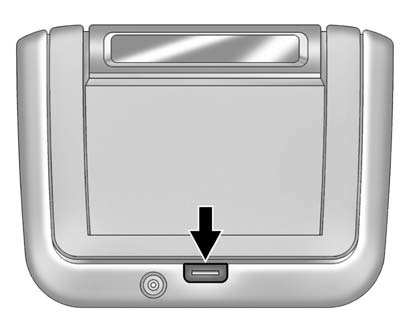
To use the video screen:
1. Push the release button located on the seatback console.
2. Move the screen to the desired viewing position.
Push the video screen down into its locked position when it is not in use.
The screen turns off automatically.
Only the left RSE seatback console contains the infrared transmitters for the wireless headphones.
They may be visible as eight illuminated LEDs. These LEDs are not on the right video screen.
Both seatback consoles contain an infrared receiver for the remote control. They are located at the top of each console.
Notice: Avoid directly touching the video screen, as damage may occur. See “Cleaning the Video Screens” later in this section for more information.
See also:
Styling
The first-generation CTS set Cadillac on its current styling direction with
its creased, angular shape, but the design philosophy really hit its stride with
this second-generation car. Sharp edges ...
Fabric/Carpet
Start by vacuuming the surface
using a soft brush attachment.
If a rotating brush attachment is
being used during vacuuming,
only use it on the floor carpet.
Before cleaning, gently remove as ...
Memory Seats
On vehicles with the memory feature, the “1” and “2” buttons on the outboard
side of the driver seat are used to manually save and recall the positions of
the driver seat, outside mirrors, and a ...