



Rear Vision Camera Location
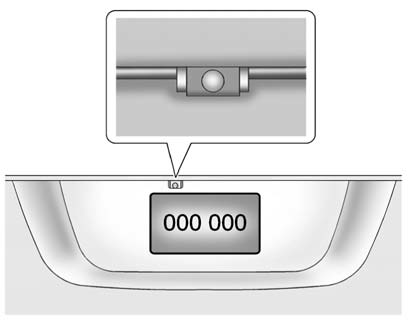
The camera is located above the license plate.
The area displayed by the camera is limited.
It does not display objects that are close to either corner or under the bumper and can vary depending on vehicle orientation or road conditions. The distance of the image that appears on the screen is different from the actual distance.
The following illustration shows the field of view that the camera provides.
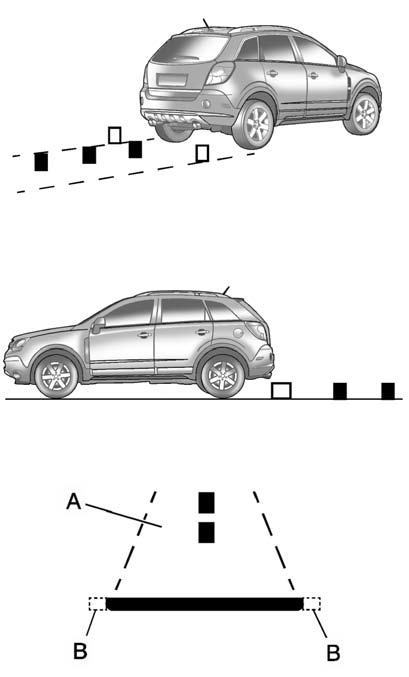
A. View displayed by the camera.
B. Corner of the rear bumper.
See also:
Sun Visors
Pull the sun visor down to block glare. Detach the sun visor from the center
mount to pivot to the side window, or to extend along the rod, if available. ...
Trailer Brakes
Does the trailer have its own
brakes? Be sure to read and follow
the instructions for the trailer brakes
so they are installed, adjusted, and
maintained properly.
Because the vehicle has anti ...
Maintenance When Trailer
Towing
The vehicle needs service more
often when pulling a trailer. See this
manual's Maintenance Schedule or
Index for more information. Things
that are especially important in
trailer operation a ...