



Lumbar Adjustment
Cadillac Escalade ESV / Cadillac Escalade ESV Owners Manual / In Brief / Initial Drive Information / Seat Adjustment / Lumbar Adjustment
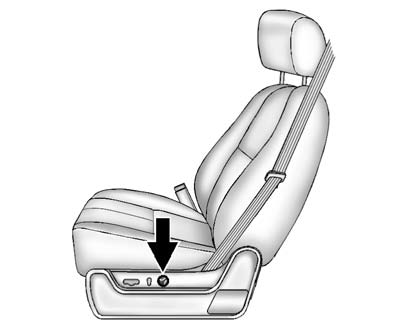
To adjust the lumbar support:
- Press and hold the front or rear of the control to increase or decrease lumbar support.
- Press and hold the top or bottom of the control to raise or lower the height of the support.
See Lumbar Adjustment .
See also:
Programming the Power Windows
If the vehicle battery has been
recharged, disconnected or not
working, the front power windows
will need to be reprogrammed for
the express-up feature to work.
Before reprogramming, replace ...
Locking Feedback
This allows selection of what type of feedback is given when locking the
vehicle with the RKE transmitter.
Press the MENU/SELECT knob when Locking Feedback is highlighted. Turn the
knob to select ...
Center Console Storage
A console compartment is located between the bucket seats.
The console has both an upper and lower storage bin accessed by lifting up on
the latches located at the front of the console lid.
The co ...