



Window Lockout
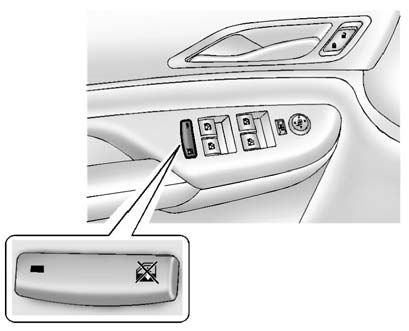
This feature prevents the rear passenger windows from operating, except from the driver position.
Press  to activate the rear window lockout, the LED in the switch
illuminates.
to activate the rear window lockout, the LED in the switch
illuminates.
Press  to deactivate the rear window lockout.
See also:
What Will You See after an Airbag Inflates?
After the frontal airbags and seat-mounted side impact airbags inflate, they
quickly deflate, so quickly that some people may not even realize an airbag
inflated.
Roof-rail airbags may still be a ...
Playing Audio CD
When an audio CD is playing, the display shows the current track and the amount
of time that track has been playing, the total amount of time on the disc, and the
current time running on the disc. ...
What to Do with Used Oil
Used engine oil contains certain
elements that can be unhealthy for
your skin and could even cause
cancer. Do not let used oil stay on
your skin for very long. Clean your
skin and nails with ...