



Parking Brake
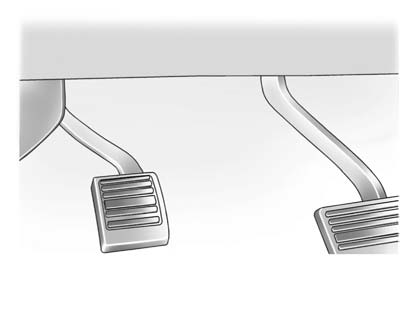
Set the parking brake by holding the regular brake pedal down, then pushing down the parking brake pedal.
If the ignition is on, the brake system warning light will come on. See Brake System Warning Light .
Notice: Driving with the parking brake on can overheat the brake system and cause premature wear or damage to brake system parts. Make sure that the parking brake is fully released and the brake warning light is off before driving.
To release the parking brake, hold the regular brake pedal down, then push down momentarily on the parking brake pedal until you feel the pedal release. Slowly pull your foot up off the parking brake pedal. If the parking brake is not released when you begin to drive, the brake system warning light will flash and a chime will sound warning you that the parking brake is still on. If you are towing a trailer and are parking on a hill, see Driving Characteristics and Towing Tips .
See also:
Passive Door Lock
If the vehicle has the Remote Keyless Entry (RKE) system, when enabled, this
feature allows the doors to lock after several seconds if all doors are closed
and at least one RKE transmitter has been ...
Passenger Airbag Status Indicator
The vehicle has a passenger sensing system. See Passenger Sensing System for
important safety information.
The overhead console has a passenger airbag status indicator.
United States
...
Starting the Engine
If the vehicle is a hybrid, see the hybrid supplement for more information.
Move the shift lever to P (Park) or N (Neutral). The engine will not start in
any other position. To restart the engine w ...