



Instrument Panel Illumination Control
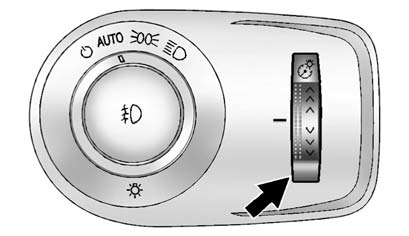
The brightness of the instrument panel lights and steering wheel controls can be adjusted.
 (Instrument Panel Brightness): Move and hold the thumbwheel up or down
to brighten or dim the lights.
(Instrument Panel Brightness): Move and hold the thumbwheel up or down
to brighten or dim the lights.
See also:
Airbag System Check
The airbag system does not need regularly scheduled maintenance or replacement.
Make sure the airbag readiness light is working. See Airbag Readiness Light
.
Notice: If an airbag covering i ...
Different Size Tires and Wheels
If wheels or tires are installed that are a different size than the original
equipment wheels and tires, vehicle performance, including its braking, ride and
handling characteristics, stability, a ...
How the System Works
When the vehicle is started, both
outside mirror displays will briefly
come on to indicate that the system
is operating. While driving forward,
the left or right side mirror SBZA
display w ...