



Window Lockout
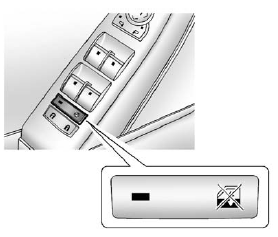
 (Window Lockout): This feature
prevents the rear passenger
windows from operating, except
from the driver position.
(Window Lockout): This feature
prevents the rear passenger
windows from operating, except
from the driver position.
Press to activate the rear window
lockout switch. The LED light comes
on when activated.
Press gain to deactivate the
lockout switch.
See also:
Recommended Fluids and Lubricants
Fluids and lubricants identified below by name, part number, or specification
can be obtained from your dealer.
...
Vehicle Security
This vehicle has theft-deterrent features; however, they do not make it
impossible to steal. ...
Parking on Hills
WARNING
Parking the vehicle on a hill with the trailer attached can be dangerous. If
something goes wrong, the rig could start to move.
People can be injured, and both the vehicle and the trailer ...