



Cargo Net (Wagon)
WARNING!
Do not stack items higher than
the upper end of the cargo net or
hang anything from the net. Avoid
items that have sharp edges or
that apply excessive force to the
net. If items are not properly
stored, damage to the net could
occur and items can be thrown
about the vehicle. You or others
could be injured. Always store
items behind the net.
For vehicles equipped with a cargo net, it can be used to store light loads, keeping them from falling over or being thrown.
The net should not be overloaded or used to store heavy loads.
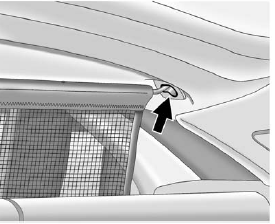
1. There are four installation points in the roof, two located in front of and two behind the rear seats.
Insert the top corners of the cargo net into the large opening in the roof and secure by sliding them into the small opening.
2. There are four tether positions for the lower hook straps. In the front position, the seatbacks should be down for the net to properly hold items.
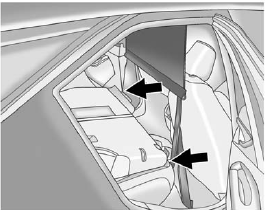
3. Mount the cargo net to the rear seat tethers located on the front of the bottom cushions.
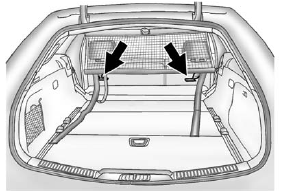
4. The net can also be mounted to the tethers on the back of the rear seats when the seats are upright.
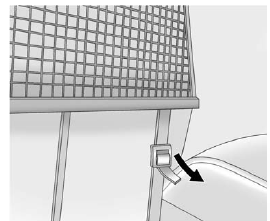
5. Pull on the straps to tighten the net.
See also:
Power Liftgate
On vehicles with a power liftgate, the switch is on the driver door.
The vehicle must be in P (Park) to use the power feature.
The taillamps flash when the power liftgate moves.
WARNING
...
Vehicle Information Display Menu Items
(Vehicle Information): Press
to display the following menu items: ...
Manual Fold and Tumble Feature
Folding and Tumbling the Seat
To fold and tumble the seat:
1. Make sure that there is nothing under, in front of, or on the seat.
Notice: Folding a rear seat with the safety belts still fastened ma ...