



Remove the Cargo Cover
1. Remove the cover from the channels and carefully roll it back up.
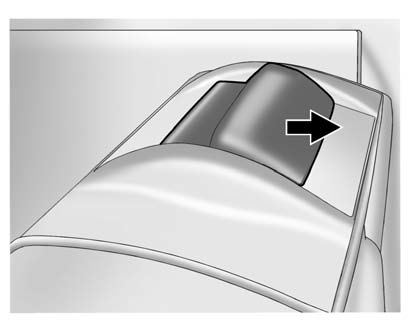
2. Slide the button on the top to release the cartridge.
3. Pull up to remove the cartridge from the pins.
WARNING
An unsecured cargo cover could strike people in a sudden stop or turn, or in a
crash. Store the cargo cover securely or remove it from the vehicle.
See also:
Safety Belt Use During Pregnancy
Safety belts work for everyone,
including pregnant women. Like all
occupants, they are more likely to
be seriously injured if they do not
wear safety belts.
A pregnant woman should wear a
...
Brake Assist
This vehicle has a brake assist feature designed to assist the driver in
stopping or decreasing vehicle speed in emergency driving conditions. This
feature uses the stability system hydraulic brake ...
How to Reset the Engine Oil Life System
Reset the system whenever the engine oil is changed so that the system can
calculate the next engine oil change. To reset the system:
1. Using the DIC MENU button and thumbwheel on the turn signal ...