



U-Rail
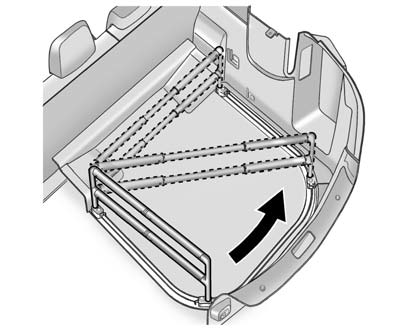
For vehicles with a u-rail system, the fence can be moved to different positions on the u-rail track to secure cargo.
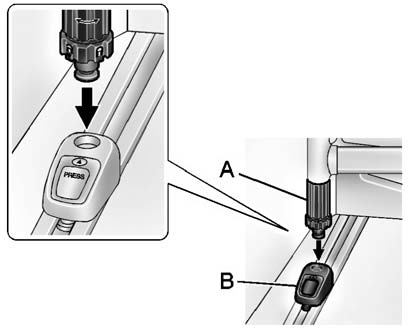
Push both adapter buttons to move the adapters (B) on the straight part of the u-rail.
To move the fence around the u-rail, disconnect one side:
1. Unlock by turning the latch (A) to align  with the arrow on the" width=18 height=20
id="_x0000_i1278" src="images/books/1183/1/index.41.gif" border=0>with the arrow on the
adapter (B).
with the arrow on the" width=18 height=20
id="_x0000_i1278" src="images/books/1183/1/index.41.gif" border=0>with the arrow on the
adapter (B).
2. Push the adapter button to move the adapters (B) to the desired position.
3. Reinstall the fence and lock both latches (A) by turning to align  with
the arrow on the adapter (B).
with
the arrow on the adapter (B).
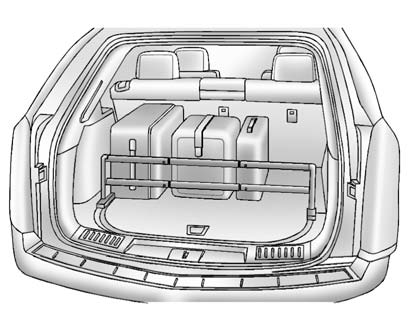
Use the fence to secure items in place.
See also:
Vehicle Security
This vehicle has theft-deterrent
features; however, they do not make
it impossible to steal. ...
Navigation System
If the vehicle has a navigation
system, use of the system may
result in the storage of destinations,
addresses, telephone numbers, and
other trip information. Refer to the
navigation manual ...
Servicing the Airbag-Equipped Vehicle
Airbags affect how the vehicle should be serviced. There are parts of the airbag
system in several places around the vehicle. Your dealer and the service manual
have information about servicing th ...