



Rear Vision Camera Location
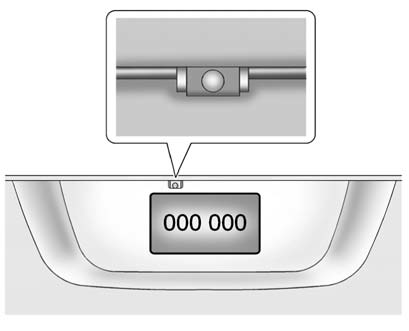
The camera is located above the license plate.
The area displayed by the camera is limited.
It does not display objects that are close to either corner or under the bumper and can vary depending on vehicle orientation or road conditions. The distance of the image that appears on the screen is different from the actual distance.
The following illustration shows the field of view that the camera provides.
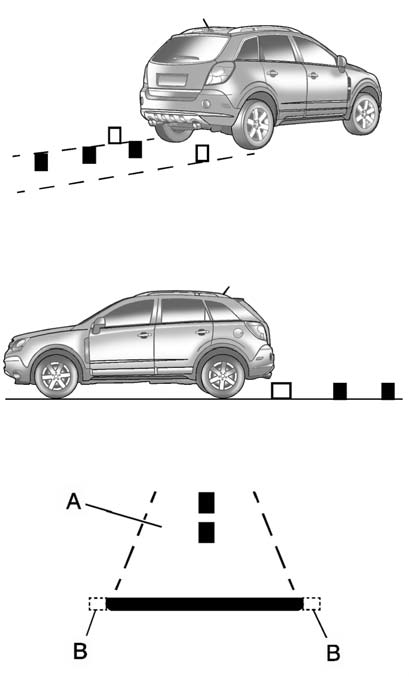
A. View displayed by the camera.
B. Corner of the rear bumper.
See also:
Trailer Brakes
A loaded trailer that weighs more than 900 kg (2,000 lbs) needs to have its own
brake system that is adequate for the weight of the trailer. Be sure to read and
follow the instructions for the tra ...
What to Use
WARNING!
Adding only plain water or some
other liquid to the cooling system
can be dangerous. Plain water
and other liquids, can boil before
the proper coolant mixture will.
The coolant warn ...
Antilock Brake System (ABS)
This vehicle has the Antilock Brake System (ABS), an advanced electronic
braking system that helps prevent a braking skid.
When the engine is started and the vehicle begins to drive away, ABS chec ...