



Power Assist Steps
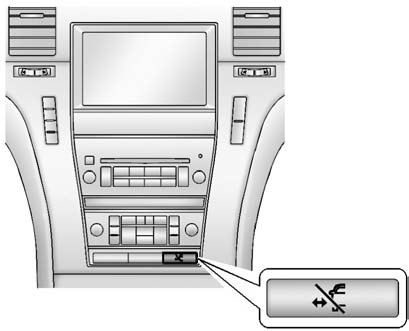
The vehicle may have power assist steps. To enable or disable the power assist
steps push  .
.
The power assist steps automatically extend from beneath the vehicle on the side in which the door has been opened. Once the door is closed, the assist steps automatically move back under the vehicle after a brief delay. The vehicle must not be moving for the assist steps to extend or retract.
The assist steps cannot be disabled in the extended position.
See also:
Servicing the Airbag-Equipped Vehicle
Airbags affect how the vehicle
should be serviced. There are
parts of the airbag system in
several places around the vehicle.
Your dealer and the service manual
have information about servici ...
Immobilizer Operation (Keyless Access)
This vehicle has a passive
theft-deterrent system.
The system does not have to be
manually armed or disarmed.
The vehicle is automatically
immobilized when the ignition
control knob is turne ...
Removing the Crossrails
1. Move both levers of the crossrail
into the upper forward position.
2. Slide the crossrail into the
cut-out area.
3. Remove the crossrail from the
vehicle.
4. Repeat for the other crossrail ...