



Instrument Cluster
Cadillac Escalade ESV / Cadillac Escalade ESV Owners Manual / Instruments and Controls / Warning Lights, Gauges, and Indicators / Instrument Cluster
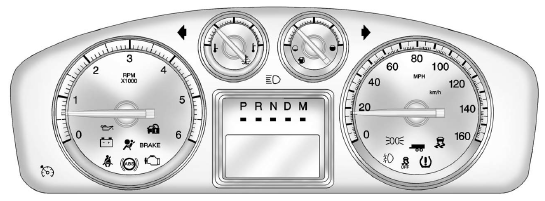
English Shown, Metric Similar
See also:
Windshield Wiper/Washer
The windshield wiper/washer lever is located on the right side of the
steering column. With the ignition in ACC/ACCESSORY or ON/RUN/START, move the
windshield wiper lever to select the wiper spe ...
Conference Calling
Conference calling and three—way calling must be supported on the Bluetooth
phone and enabled by the wireless service carrier to work.
To start a conference while in a current call:
1. Turn or ...
Tires
Every new GM vehicle has high-quality tires made by a leading tire
manufacturer.
See the warranty manual for information regarding the tire warranty and
where to get service. For additional infor ...