



Gallery
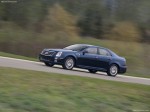
Cadillac STS / Gallery

|

|

|

|

|
|
See also:
Storing a Flat or Spare Tire and Tools
WARNING
Storing a jack, a tire, or other equipment in the passenger compartment of the
vehicle could cause injury. In a sudden stop or collision, loose equipment
could strike someone. Store all th ...
Safety Locks (Sedan and Wagon)
The vehicle has rear door security
locks. These prevent passengers
from opening the rear doors from
the inside.
Lock Label shown
The rear door security locks are
located on the inside edge ...
Winter Tires
Consider installing winter tires on
the vehicle if frequent driving on
snow or ice covered roads is
expected. All season tires provide
good overall performance on most
surfaces, but they may ...