



Lumbar Adjustment
Cadillac Escalade ESV / Cadillac Escalade ESV Owners Manual / Seats and Restraints / Front Seats / Lumbar Adjustment
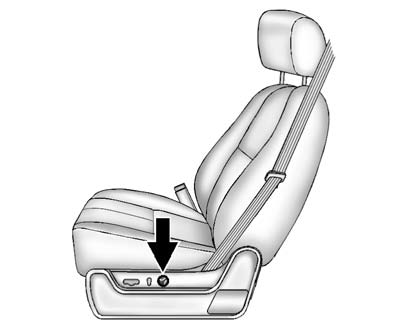
To adjust the lumbar support:
- Press and hold the front or rear of the control to increase or decrease lumbar support.
- Press and hold the top or bottom of the control to raise or lower the height of the lumbar support.
See also:
Power Outlets
The accessory power outlets can be used to plug in electrical equipment, such
as a cell phone or MP3 player.
The vehicle has three accessory power outlets located:
Inside the floor console stor ...
Environmental Concerns
Always use established trails, roads, and areas that have been set aside
for public off-road recreational driving and obey all posted regulations.
Do not damage shrubs, flowers, trees, or gras ...
Managing the Vehicle Damage
Repair Process
In the event that the vehicle requires
damage repairs, GM recommends
that you take an active role in its
repair. If you have a pre-determined
repair facility of choice, take the
vehicle ther ...