



Gallery
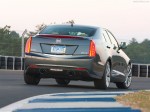
Cadillac ATS / Gallery

|

|
|

|

|

|
See also:
When to Check
Check the tires once a month or more.
Do not forget the spare tire. See Full-Size Spare Tire for additional
information. ...
Lumbar Adjustment
If available, hold the control on the
outboard side of the seat forward or
rearward to increase or decrease
the lumbar support on the driver or
front passenger seat.
A. Side Bolster Adjus ...
Controlling a Bluetooth® Device
Bluetooth devices that support AVRCP (Audio/Video Remote Control Profile)
version 1.0 may be able to be controlled by the infotainment system.
Press and release SEEK / SEEK to skip tracks. ...