



Cargo Management System
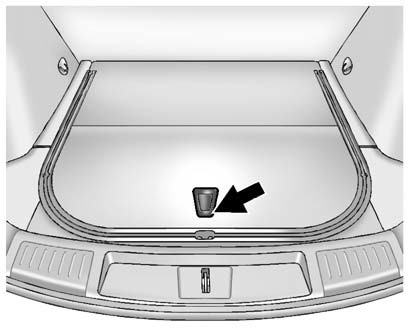
To open the cargo management system, press the rear of the handle to unlatch it and then lift the handle up.
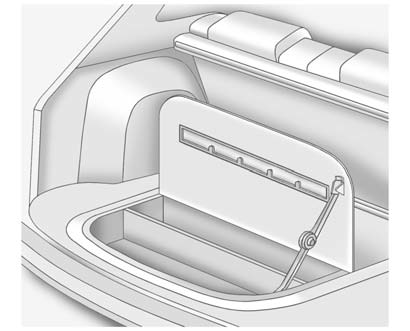
A prop rod locks to hold the cover up when opened.
Four hooks are located on the inside cover and can be used for storing items.
There may be additional storage compartments on each side of the cargo management system.
Lift the panel up to open.
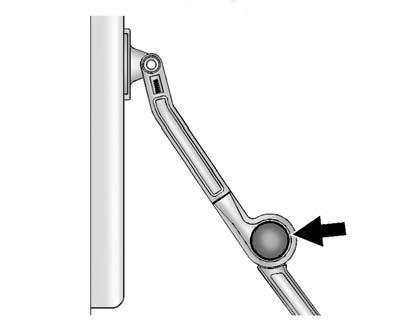
Press the red button on the prop rod to close the cover.
See also:
TPMS Sensor Matching
Process
Each TPMS sensor has a unique
identification code. The identification
code needs to be matched to a new
tire/wheel position after rotating the
vehicle’s tires or replacing one or
more of the ...
Navigation System
If the vehicle has a navigation
system, use of the system may
result in the storage of destinations,
addresses, telephone numbers, and
other trip information. Refer to the
navigation manual ...
Heated Mirrors
(Rear Window Defogger):
Press to heat the mirrors.
See “Rear Window Defogger” under Dual Automatic Climate Control System for
more information. ...